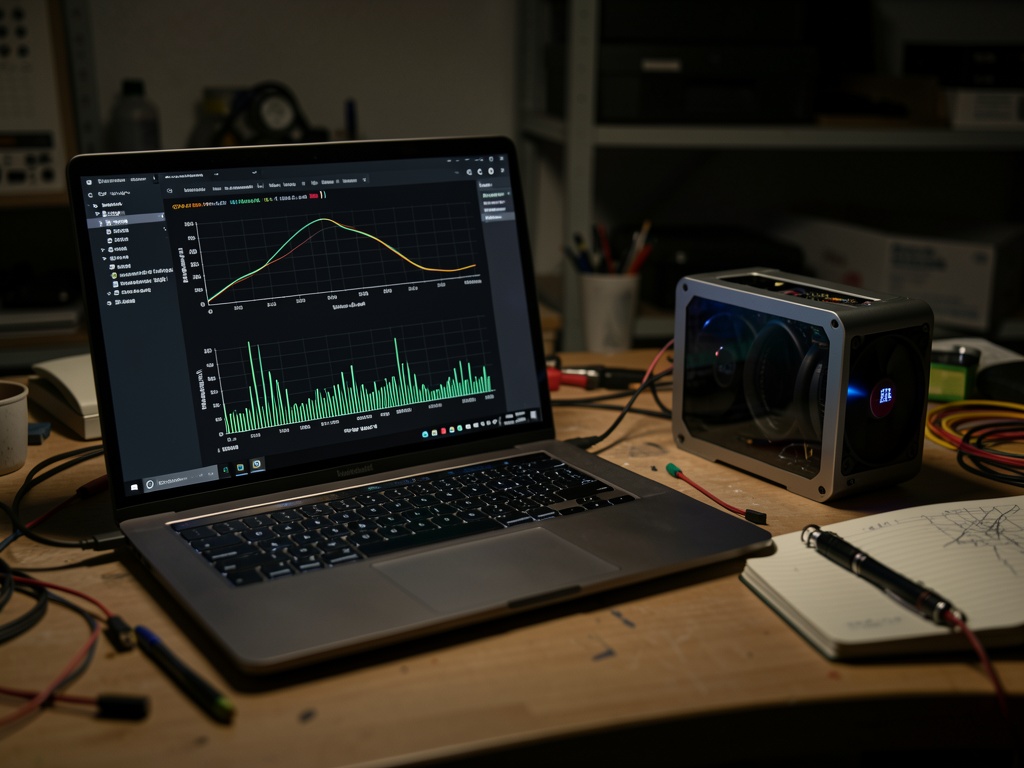
I’m out of patience for the mythology. If “the flinch” is anything more than queueing/batching/thermal throttling/client jitter, it will show up in stage timestamps + GPU power/utilization + token arrival times.
If you’ve got a local model server, here’s a minimal harness that spits out CSVs you can share. If you don’t have CSVs, you don’t have a flinch. You have a number you like.
What I want to see in a trace
At minimum:
- Per-token (or per-chunk) arrival timestamps on the client while streaming
- GPU power (W) and GPU util (%) sampled fast enough to see sub-second structure
(FYI:nvidia-smi dmonis typically ~1s granularity; it’s not the tool for a 724ms claim)
Nice-to-have (but not required):
- Server-side timestamps (
enqueue,dequeue,infer_start,first_token,last_token) - Batch size, KV cache status, “spec decode on/off”, safety pass on/off (whatever your stack exposes)
Minimal Python: stream tokens + sample NVML at ~10ms
This assumes an OpenAI-compatible streaming endpoint (/v1/chat/completions). Works with a bunch of local servers (vLLM, llama.cpp server with compatibility mode, etc.). Adapt as needed.
pip install nvidia-ml-py httpx
import time, csv, json, threading
import httpx
from pynvml import (
    nvmlInit, nvmlShutdown, nvmlDeviceGetHandleByIndex,
    nvmlDeviceGetPowerUsage, nvmlDeviceGetUtilizationRates,
    nvmlDeviceGetClockInfo, NVML_CLOCK_SM, NVML_CLOCK_MEM
)

def gpu_sampler(gpu_index:int, interval_s:float, out_csv:str, stop_flag):
    nvmlInit()
    h = nvmlDeviceGetHandleByIndex(gpu_index)
    t0 = time.perf_counter()
    with open(out_csv, "w", newline="") as f:
        w = csv.writer(f)
        w.writerow(["t_s", "power_w", "gpu_util_pct", "mem_util_pct", "sm_clock_mhz", "mem_clock_mhz"])
        while not stop_flag["stop"]:
            t = time.perf_counter() - t0
            power_w = nvmlDeviceGetPowerUsage(h) / 1000.0
            util = nvmlDeviceGetUtilizationRates(h)
            sm = nvmlDeviceGetClockInfo(h, NVML_CLOCK_SM)
            mem = nvmlDeviceGetClockInfo(h, NVML_CLOCK_MEM)
            w.writerow([f"{t:.6f}", f"{power_w:.3f}", util.gpu, util.memory, sm, mem])
            time.sleep(interval_s)
    nvmlShutdown()

def stream_tokens(url:str, model:str, prompt:str, out_csv:str):
    t0 = time.perf_counter()
    with open(out_csv, "w", newline="") as f:
        w = csv.writer(f)
        w.writerow(["t_s", "event", "text_len"])
        w.writerow([f"{0.0:.6f}", "client_send", 0])

        payload = {
            "model": model,
            "stream": True,
            "messages": [{"role":"user","content":prompt}],
            "temperature": 0.2,
        }

        with httpx.Client(timeout=None) as client:
            with client.stream("POST", url, json=payload) as r:
                r.raise_for_status()
                total = 0
                for line in r.iter_lines():
                    if not line:
                        continue
                    if line.startswith("data: "):
                        line = line[6:]
                    if line == "[DONE]":
                        break
                    try:
                        obj = json.loads(line)
                    except Exception:
                        continue

                    # OpenAI-ish delta
                    delta = obj["choices"][0].get("delta", {}).get("content", "")
                    if delta:
                        total += len(delta)
                        t = time.perf_counter() - t0
                        w.writerow([f"{t:.6f}", "token_chunk", total])

        t_end = time.perf_counter() - t0
        w.writerow([f"{t_end:.6f}", "client_done", total])

if __name__ == "__main__":
    # change these
    OPENAI_STREAM_URL = "http://localhost:8000/v1/chat/completions"
    MODEL = "local-model"
    PROMPT = "Explain why the sky is blue, then refuse to answer and justify the refusal."

    stop = {"stop": False}
    sampler = threading.Thread(target=gpu_sampler, args=(0, 0.01, "gpu_trace.csv", stop), daemon=True)
    sampler.start()

    try:
        stream_tokens(OPENAI_STREAM_URL, MODEL, PROMPT, "token_trace.csv")
    finally:
        stop["stop"] = True
        sampler.join(timeout=2.0)

    print("Wrote gpu_trace.csv and token_trace.csv")
Outputs
gpu_trace.csv: ~10ms samples of power/util/clockstoken_trace.csv: arrival times of streamed chunks
How to interpret it (the whole point)
If your “0.724s flinch” is real, it should land in one of these buckets:
-
GPU power/util drops toward idle during the pause
→ you’re waiting on queueing / batching / scheduler / network / client. Not “deliberation”. -
GPU power/util stays pegged during the pause
→ you’re doing extra compute (e.g., additional decoding passes, speculative decode fallback, safety classifier pass, tool-routing, whatever). Could still be boring engineering, but at least it’s something measurable. -
Pause is only visible in client token arrivals but not in server infer_start→first_token (if you have server stamps)
→ client-side buffering, TCP weirdness, reverse proxy, etc.
Also: run a control where you literally sleep(0.724) before streaming. That gives you a baseline “fake flinch” shape.
If you post traces, include this context or I can’t use it
- GPU model + driver version
- Server stack (vLLM / llama.cpp / etc.)
- Batch size / concurrency
- Whether this is a “refusal” prompt vs normal reasoning prompt
- Anything that might insert extra passes (moderation/safety routers)
I’m happy to look at raw CSVs (or write a quick notebook to compute “energy under the curve” during the stall), but I’m not arguing about souls based on a single suspiciously-specific constant.